TxSSC
Digital citizenship is the responsible use of technology, including how you act and interact with others online. Just like being a good citizen in your community means you care about how you behave and treat others, being a citizen in the digital world means the same. For you to be a good digital citizen, it is important to understand the digital world. Digital citizenship includes, but is not limited to:
- Media literacy, including determining whether information and internet sites are real or artificially generated, and whether information is credible and accurate.
- Critical thinking, including evaluating whether content makes sense and understanding different points of view.
- Education about laws, including the criminal consequences of cyberbullying, harassment, sextortion, revenge porn, and child sexual abuse material (child pornography). Behavior online can have long-term and serious consequences.
- Security and privacy, including internet viruses and safe and unsafe practices to protect privacy.
- Online etiquette, including understanding that social media is not the place to vent about people, school, or workplaces.
- Awareness of rights and responsibilities, including what to do if you witness cyberbullying or inappropriate content.
The three pieces of digital citizenship we will learn more about are media literacy, security and privacy, and online etiquette.
Media Literacy
Just because you see something on the internet doesn’t mean it’s true. There are even fake websites designed to look like real websites. It is important to verify both the website and the source of information to confirm whether they are legitimate.
How can you check to determine if a website is secure?
Before you click or buy something online, make sure the website is safe. A safe website should start with “https://” and have a small padlock icon next to it. That means it’s secure.
Be careful when using search engines like Google because they help you find other websites, which can be real or fake. Some people make fake websites that look just like your bank or a store you trust to steal your username or password. They might even change one letter in the web address like, writing “Bsnk of America” instead of “Bank of America.” Always double-check the web address before you type in your personal information.
How can you check whether a source is reliable?
AI search engines use artificial intelligence to find answers and give quick summaries by scanning tons of information from the internet. They don’t always check if that information is true or from a trustworthy source. Because AI can learn your behavior, likes, and dislikes, these search engines can sometimes show you information that fits your opinion instead of giving you all the information so you can decide for yourself. Some are also designed to tell you what you want to hear or respond ways designed to keep you online and engaged with the AI. Always double-check what you find when using AI search engines to make sure they are sharing accurate information.
Here are some questions to ask yourself to determine whether a source is reliable:
- Who is the author and what are their sources?
- Does it have their full name listed? Are they a professor, journalist, or subject matter expert? You can google the authors names and then add “credentials” or “bio” to get more information. Are they affiliated with a university, political organization, or advocacy group? Where are they getting their information?
- Have you cross-checked the information?
- Can you find the same information elsewhere? You can fact check the claims using sites that can help verify claims. Anyone can write anything and make it sound legitimate. These sites can help debunk rumors that have not been confirmed. Beware of things
Security and Privacy
There are ways to keep yourself safe, or reduce your risk, online. One way is to use secure passwords. Here are some tips:
- Don’t share private information. Information such as your middle name, pet’s names, address, email, phone numbers, passwords, usernames, mother’s maiden name, social security number, birth date, or school information can be used to find you online and in real life, and it can be used to guess your passwords.
- Get creative when creating passwords. Don’t use the same one for different platforms and avoid using ones that are easy to find out, like your pet’s names, school name, favorite sports team, or easy numbers like 12345. Password managers generate, store, and fill out random, strong, and unique passwords for online accounts. You only need to remember one strong password to access the encrypted vault that stores your passwords.
- Use two-factor authentication, which requires you to provide two ways to access an account. For example, after you enter your password for your email, a code is sent via text that you must enter before you can access your account information.
Online Etiquette
The word “etiquette” means to behave in a respectful, considerate way; to have good manners. We all have bad days and bad moods. We all get angry, embarrassed, and have our feelings hurt. But there are certain things that can’t be undone. Once you post or say something, you can’t expect to delete it and know for a fact that it is permanently gone.
General tips include:
- Don’t use social media to get back at someone. Avoid making things worse by putting metaphorical gas on the fire.
- If you read something that upsets you, first re-read it to make sure you understood it correctly. If you are still upset, walk away and calm down before deciding whether to respond.
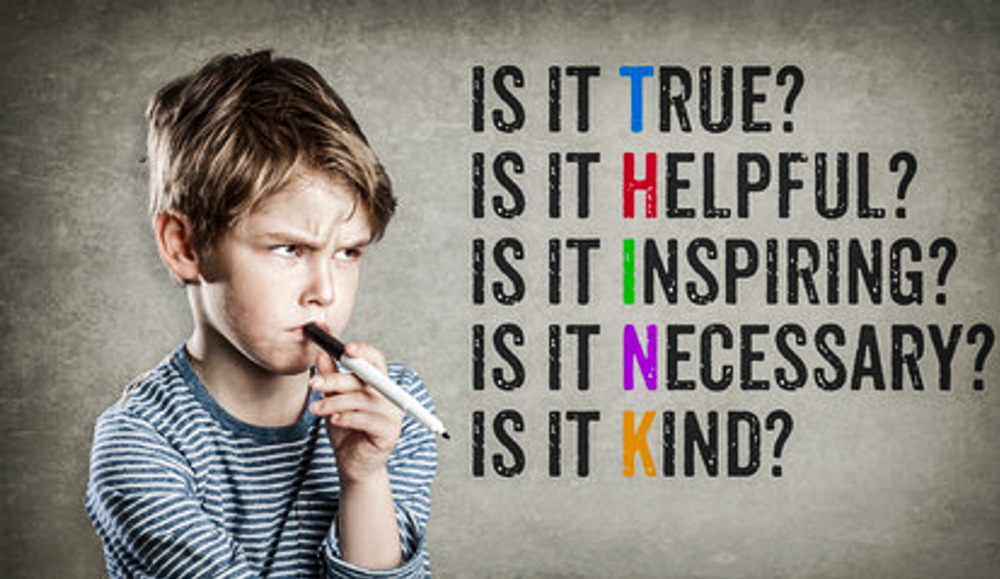
- Think before you post. Consider the possible consequences of reacting to a person’s comment or post.
- Respect others. Avoid saying or sharing something that isn’t true. Don’t share information that isn’t yours to share. Ask before posting photos of others. Don’t create or share content to humiliate someone.
- Avoid doxxing. Doxxing is publishing private information, such as where someone lives, in order to cause harm or harassment. You can be held responsible for what happens as a result.
- Be kind and assume good intent. People can say things the wrong way or not recognize the way something they said could be interpreted. It’s not always an intentional attack on you.
- Avoid sarcasm. Sarcasm does not translate well in writing and often comes across as rude.
- Respect yourself. Be mindful of your words and avoid comparing yourself to others. Recognize the addictive nature of the internet and limit exposure to harmful content.
Report Suspicious Activity
If you notice something suspicious, like unsafe behavior, threats, school safety concerns, or anything else that makes you worry about your safety, you can report it to iWatchTexas. This system is the states’ reporting tool designed to help keep schools and communities safe. Go to report.iwatchtx.org/iwatchtexas or call 844-643-2251. You can also download the iWatchTexas app. This reporting system is not for emergencies. For emergencies, call 911.
If you see or get inappropriate or creepy messages, don’t ignore them. Block and report the person right away and tell an adult you trust. You can also take a screenshot to keep a record of what happened.
And remember, be an upstander! Being brave doesn’t mean you’re never scared. It means you do the right thing, even when it’s hard.